
Field note · 2025-11-26
SOC205 —Event 231 Malicious Macro has been executed (LetsDefend)
Originally published on Medium: https://medium.com/@brandonlove2150/soc205-event-231-malicious-macro-has-been-executed-letsdefend-47408ea87c5e?source=rss-024d132ba4b7——2
Today I started another SOC Alert from LetsDefend.
Today I started another SOC Alert from LetsDefend. This alert focused on Malicious Macros being executed from an invoice received from a subscription service.
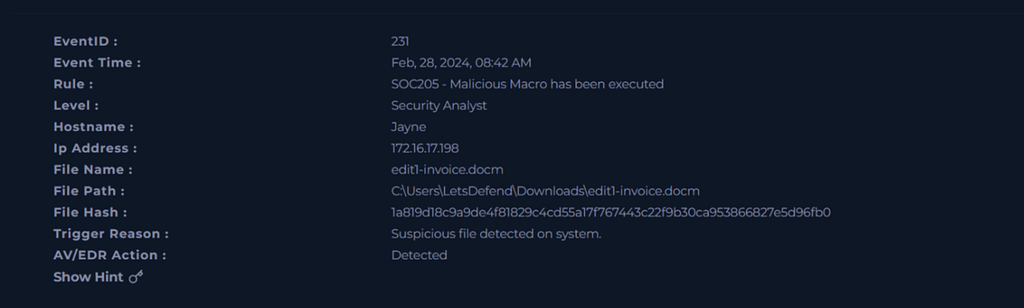
Alert from LetsDefend
With the information from the alert, we can proceed to review the logs for suspicious activity. Searching by the IP address: 172.16.17.198, I found these suspicious logs.
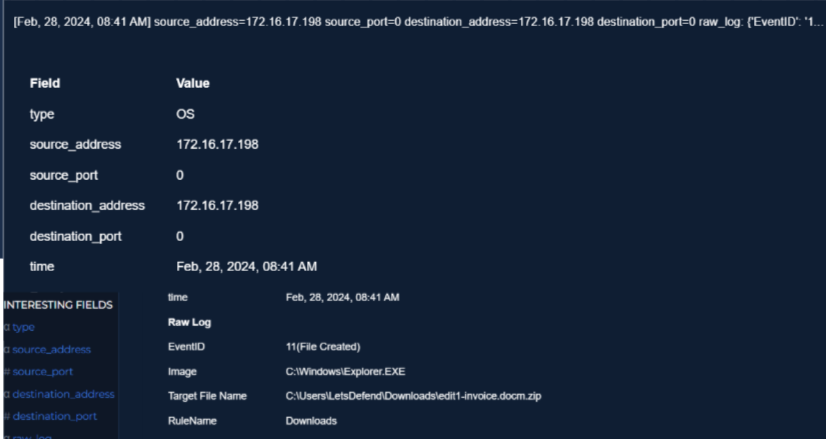
Download file
From this log, we can see that a file named invoice was downloaded.
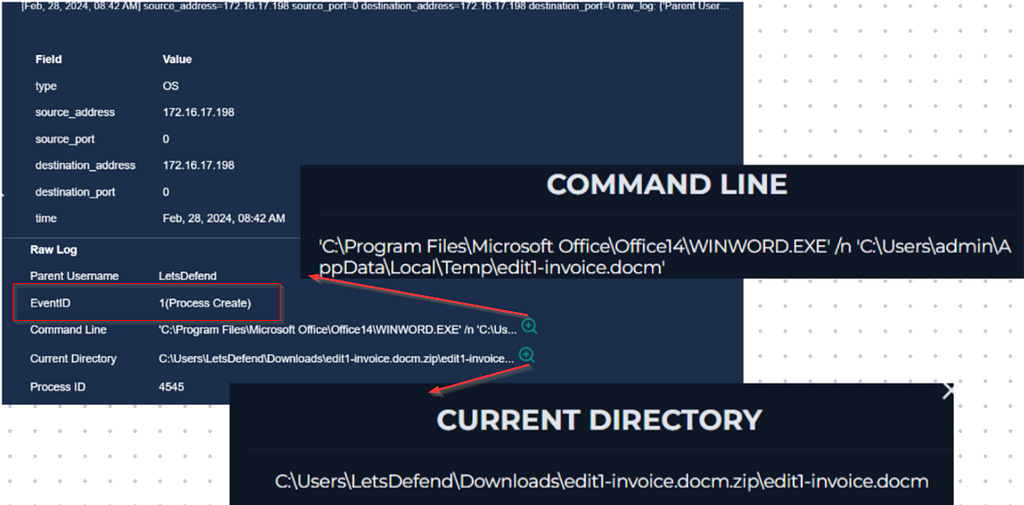
1st Process Created
After the file was downloaded a new process was created and WINWORD.EXE downloaded edit1-invoice.docm.zip\edit1-invoice.docm.
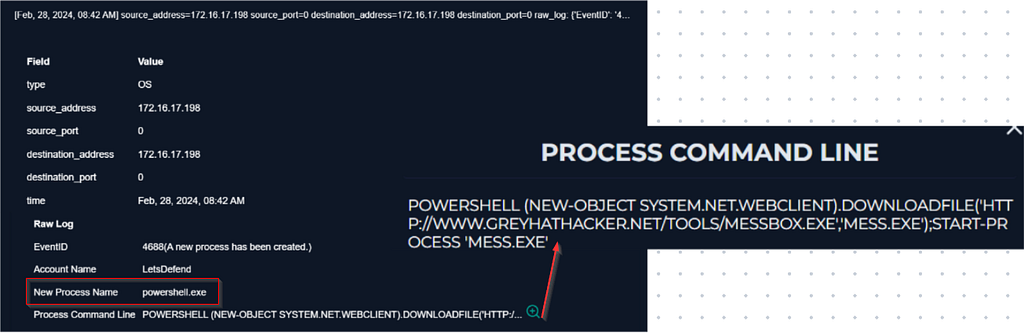
Second Process Created
We can see that there was another process created for PowerShell, and it started mess.exe from www.greyhathacker.net/tools/messbox.exe
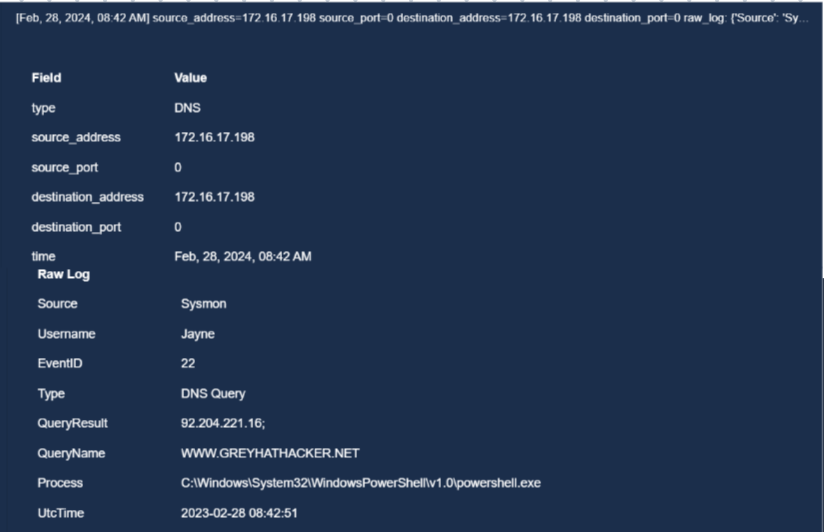
DNS Query
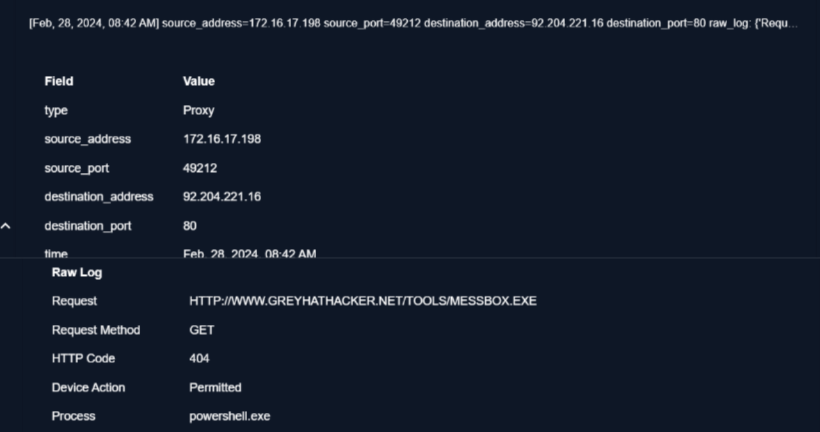
messbox.exe
From this log, we can see that using the username Jayne, the URL www.greyhathacker.net with IP address 92.204.221.16 was accessed. However, when it tried to access messbox.exe, it received an HTTP 404 status code, indicating that the attacker encountered a page not found error.
Next, we will check email traffic to find the malicious document and see where it came from.
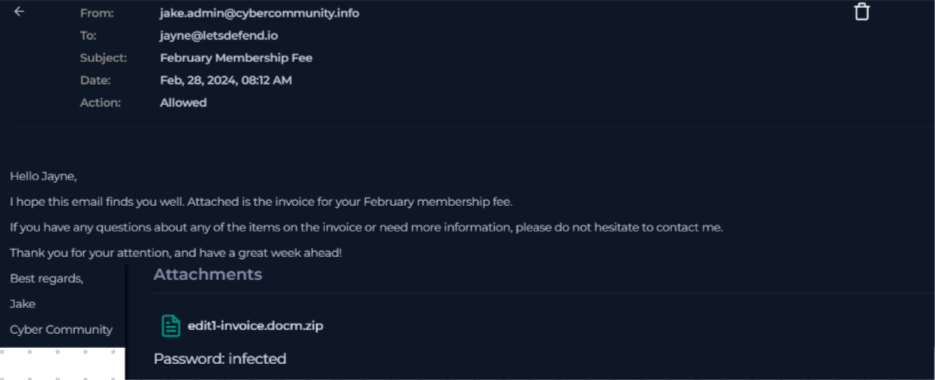
Email Traffic
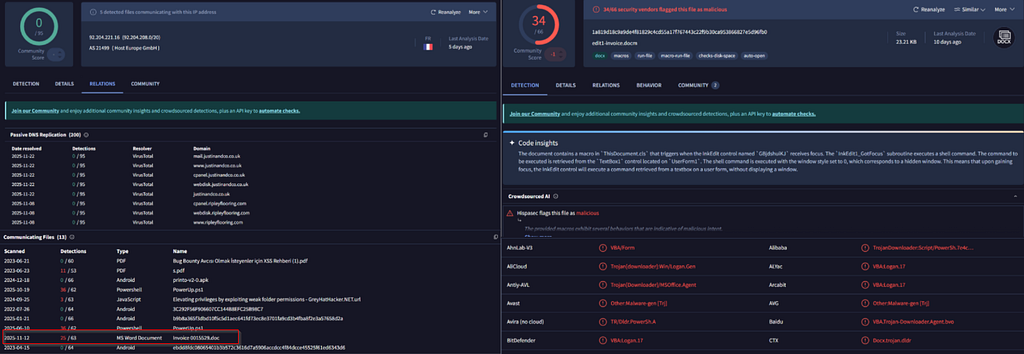
Suspicious IP address and File Hash
Looking up the IP address 92.204.221.16 returned not suspicious; however, it lists the malicious document downloaded. Next, looking at the file’s hash on VirusTotal, it comes back as malicious.
Playbook
We are now ready to start the playbook and close out this alert. Make sure to follow these steps in the playbook.
Define Threat Indicator: Other
Check if the malware is quarantined/clean: Not Quarantined
Analyze malware: Malicious
Check if someone requested the C2: Accessed
Containment: Ensure the endpoint, Jayne, is contained, and delete the received email.
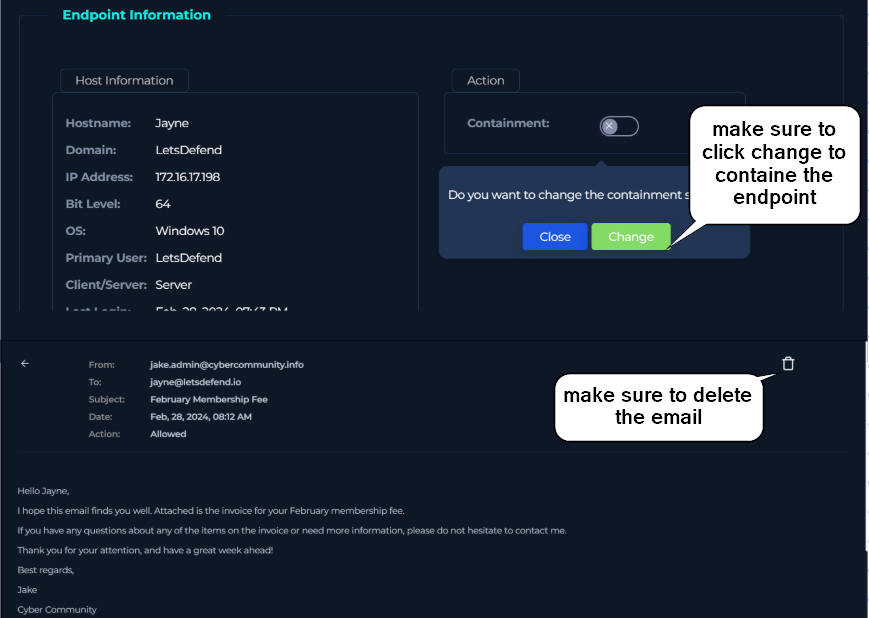
Containment
Artifacts
Source IP address: 172.16.17.198
Destination IP address: 92.204.221.16
Hash of file: 1a819d18c9a9de4f81829c4cd55a17f767443c22f9b30ca953866827e5d96fb0
Suspicious URL: www.greyhathacker.net/tools/messbox.exe
Analyst Note:
ON Feb 28, 2024, @ 0842am, there was an alert for a suspicious file detected on the system.
Upon further investigation, the Hostname Jayne with the IP address 172.16.17.198 received an email from jake.admin@cybercommunity.info with a suspicious attachment; the file name was edit1-invoice.docm.zip.
After opening the file, A Word process (WINWORD.EXE) was started under user LetsDefend with the command line: ‘C:\Program Files\Microsoft Office\Office14\WINWORD.EXE’ /n ‘C:\Users\admin\AppData\Local\Temp\edit1-invoice.docm’. A new process was created under PowerShell.exe. Looking at the command line, it appears the command downloaded a file from http://www.greyhathacker.net and created a start process labeled ‘mess.exe’. Mess.exe was executed remotely, and the attacker, using the user Jayne’s account, made a DNS lookup for www.greyhathacker.net, which resolved to IP 92.204.221.16. A DNS lookup issued by PowerShell for an unusual domain is a common sign of malware trying to locate a command‑and‑control (C2) server or fetch payloads. The domain name itself (greyhathacker.net) appears clearly suspicious (contains “hacker”). User requested the URL HTTP://WWW.GREYHATHACKER.NET/TOOLS/MESSBOX.EXE but received an HTTP 404 error.
Recommend actions:
Contain the endpoint
Delete the email
Block the IP address and the URL.
Source: Originally published on Medium