Field note · 2026-03-02
SOC 202 FakeGPT — LetsDefend
Originally published on Medium: https://medium.com/@brandonlove2150/soc-202-fakegpt-letsdefend-d33074b05056?source=rss-024d132ba4b7——2
er extensions matter in security: they can quietly introduce persistence, enable credential/session theft, and create data leakage risk — often without dropping a traditional “malware.exe”.
Malicious Chrome Extension (Investigation Walkthrough + Playbook + Report)
Today I worked on a LetsDefend SOC simulation alert titled “SOC202 — FakeGPT Malicious Chrome Extension.” This one is a great example of why browser extensions matter in security: they can quietly introduce persistence, enable credential/session theft, and create data leakage risk — often without dropping a traditional “malware.exe”.
I’m going to walk through how I validated the alert, correlated endpoint + network + browser evidence, contained the host, and completed the playbook.
Alert Overview
The alert details included everything needed to anchor the investigation:
- EventID: 153
- Event Time: May 29, 2023–01:01 PM
- Hostname: Samuel
- Host IP: 172.16.17.173
- Rule: SOC202 — FakeGPT Malicious Chrome Extension
- Trigger Reason: Suspicious extension added to the browser
- Device Action: Allowed
- File Name: hacfaophiklaeolhnmckojjjjbnappen.crx
- File Path: C:\Users\LetsDefend\Download\hacfaophiklaeolhnmckojjjjbnappen.crx
- File Hash (SHA-256): 7421f9abe5e618a0d517861f4709df53292a5f137053a227bfb4eb8e152a4669
- Command Line: chrome.exe –single-argument …hacfaophiklaeolhnmckojjjjbnappen.crx

“Alert context: suspicious CRX extension added; host Samuel (172.16.17.173); file + hash provided.”
Step 1 — Validate It’s Not a False Positive (Endpoint Security)
After taking ownership, I went straight to Endpoint Security and used the alert timestamp to find the related activity. My goal early on is simple:
Is this real behavior tied to the alert or noise?
In Endpoint Security, I could see the host information and pivot into:
- Processes
- Network Action
- Terminal History
- Browser History

“Endpoint Security view: host ‘Samuel’ (172.16.17.173) with process + network + browser pivots.”
I also reviewed the processes and command-line context tied to Chrome activity to ensure the extension install was actually executed (not just “downloaded”).
Step 2 — Network Action: Identify Suspected C2/External Communication
Next, I pivoted to Network Action, because malicious extensions often:
- beacon outbound,
- pull configuration updates, or
- exfiltrate data.
I observed outbound connections to these IPs in the investigation window:
- 52.76.101.124
- 18.140.6.45
- (additional traffic shown: 172.217.17.142 — likely benign Google infrastructure in many contexts)
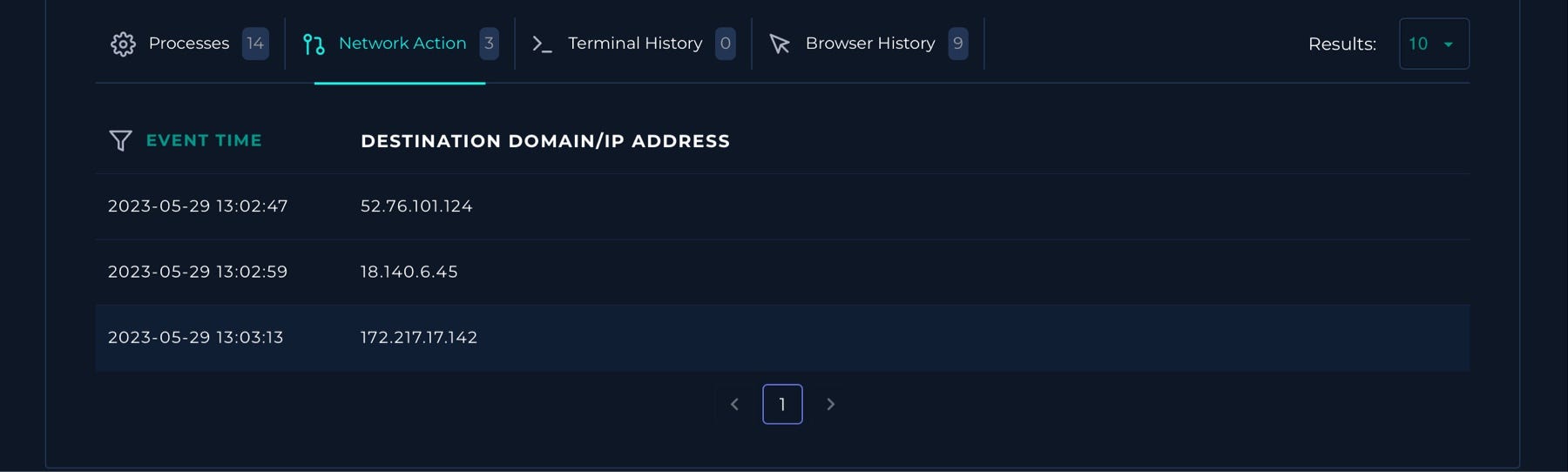
“Network Action: outbound connections observed, including suspected C2 candidates.”
Threat Intel Check (Important lesson)
I checked the suspicious IPs in LetsDefend Threat Intel and VirusTotal and didn’t get strong hits. That doesn’t clear them.
No reputation ≠ , no risk.
New infrastructure, low-signal C2, or limited reporting can still be malicious — so I kept correlating.
Step 3 — Browser History: Confirm the Extension Install Path
The Browser History tab was the strongest pivot in this case. It clearly showed a sequence that aligns with an extension being viewed/installed and then navigating into the Chrome extensions page:
Notable entries included:
- https://chrome.google.com/webstore/detail/.../hacfaophiklaeolhnmckojjjjbnappen
- chrome://extensions
- chrome://extensions/?id=hacfaophiklaeolhnmckojjjjbnappen
- and even visits to https://chat.openai.com/ and the login flow (which raises the stakes if session/cookie theft is involved)
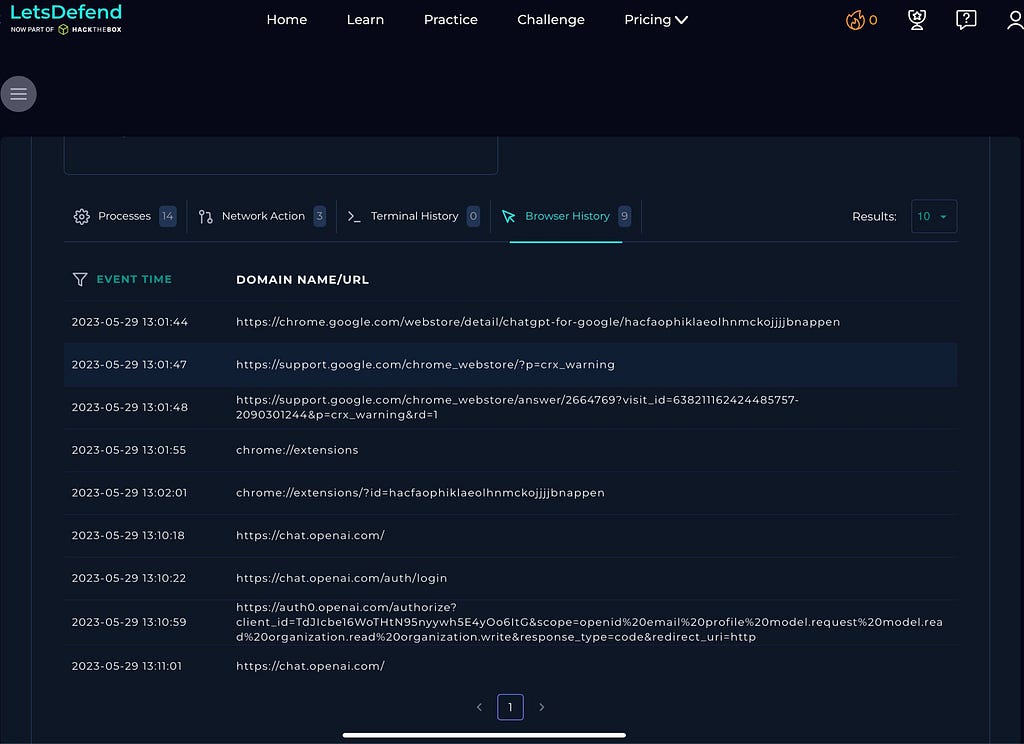
“Browser History: Chrome Web Store listing + chrome://extensions pivots tied to the suspicious extension ID.”
This gave me confidence that the alert wasn’t just a detection artifact — it reflected a real user/browser action chain consistent with the introduction of an extension.
Step 4 — Malware Analysis: Validate the Hash in VirusTotal
The playbook required malware analysis, so I used the provided SHA-256 hash to scan it on VirusTotal.
VirusTotal showed the CRX file flagged as malicious (8/59 in this snapshot) and included notes indicating risky behavior consistent with credential/session theft (cookie access/exfil behavior was referenced in the VT context).
After verifying the information, I went back and quarantined the endpoint.
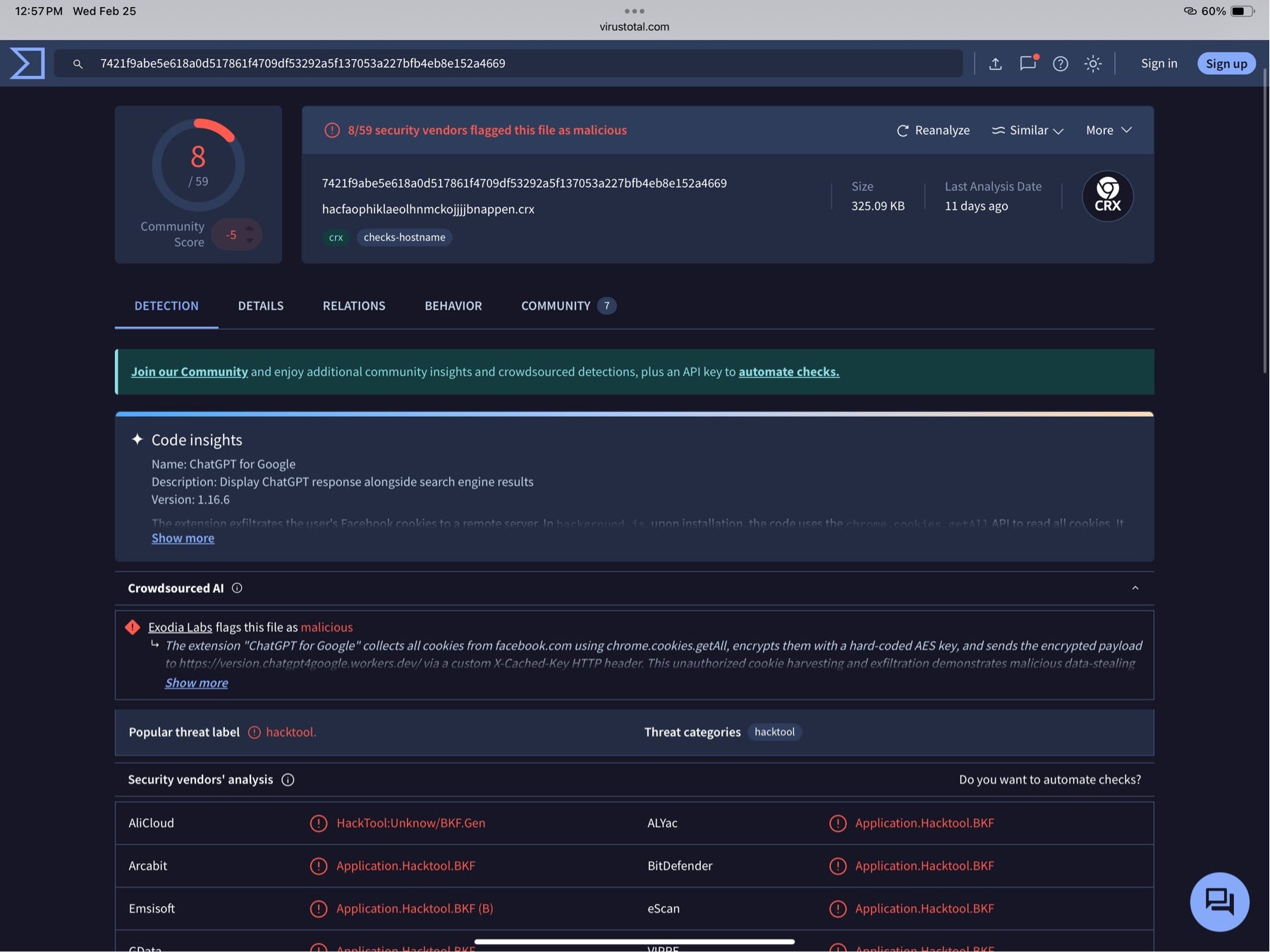
“VT: CRX flagged as malicious; behavior notes indicate serious data risk.”
Even if the detection count isn’t 50+, the combination of:
- suspicious extension install,
- outbound comms,
- and VT behavior notes
…is enough for a high-confidence incident in a SOC workflow.
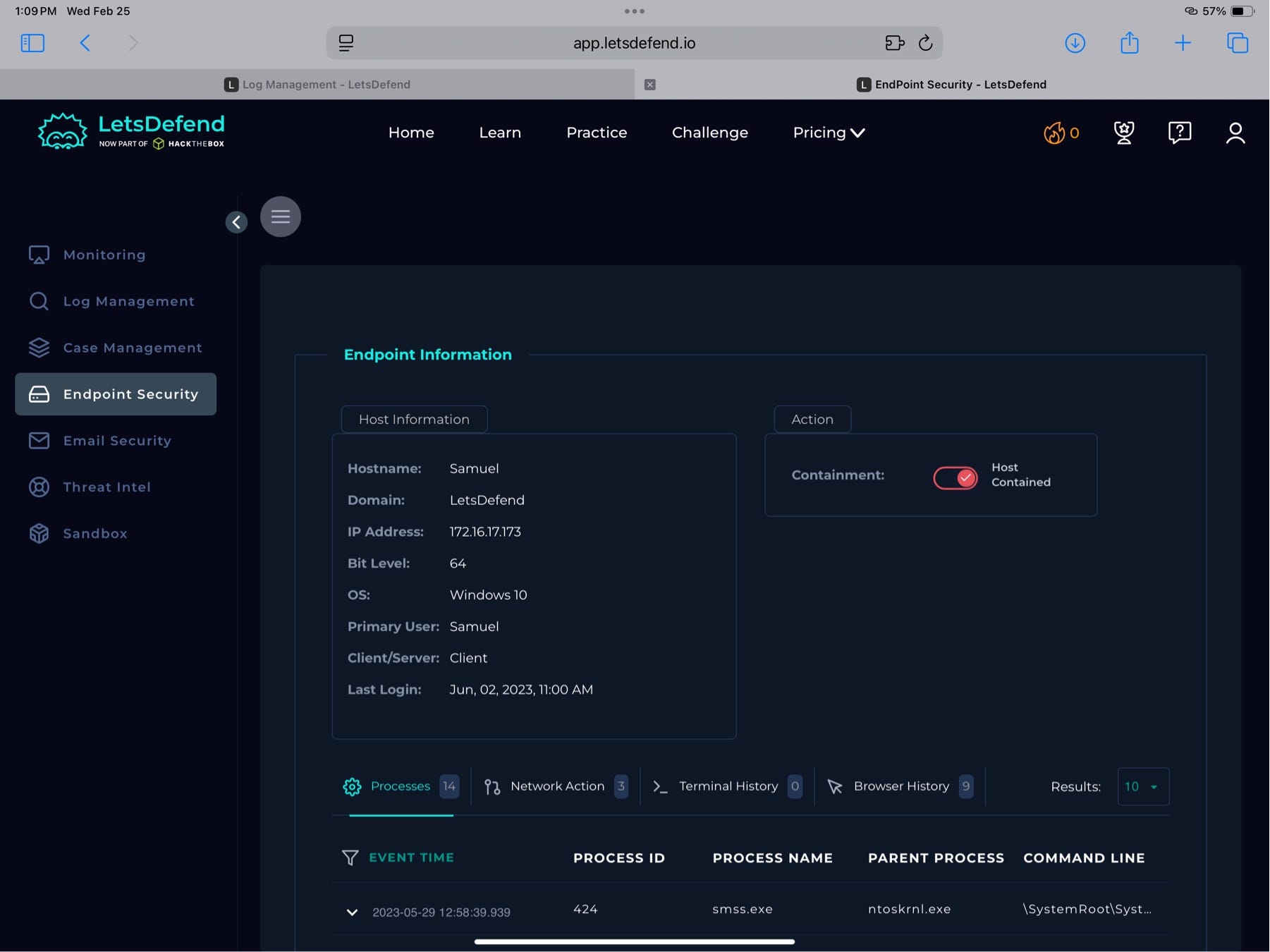
Step 5 — Containment: Quarantine the Endpoint
Once I confirmed the extension was malicious and outbound comms were present, I contained the host by quarantining it.
LetsDefend Playbook Answers (How I Completed It)
What was the detection vector?
In the playbook dropdown, the best match was:
Unknown or unexpected outgoing internet traffic
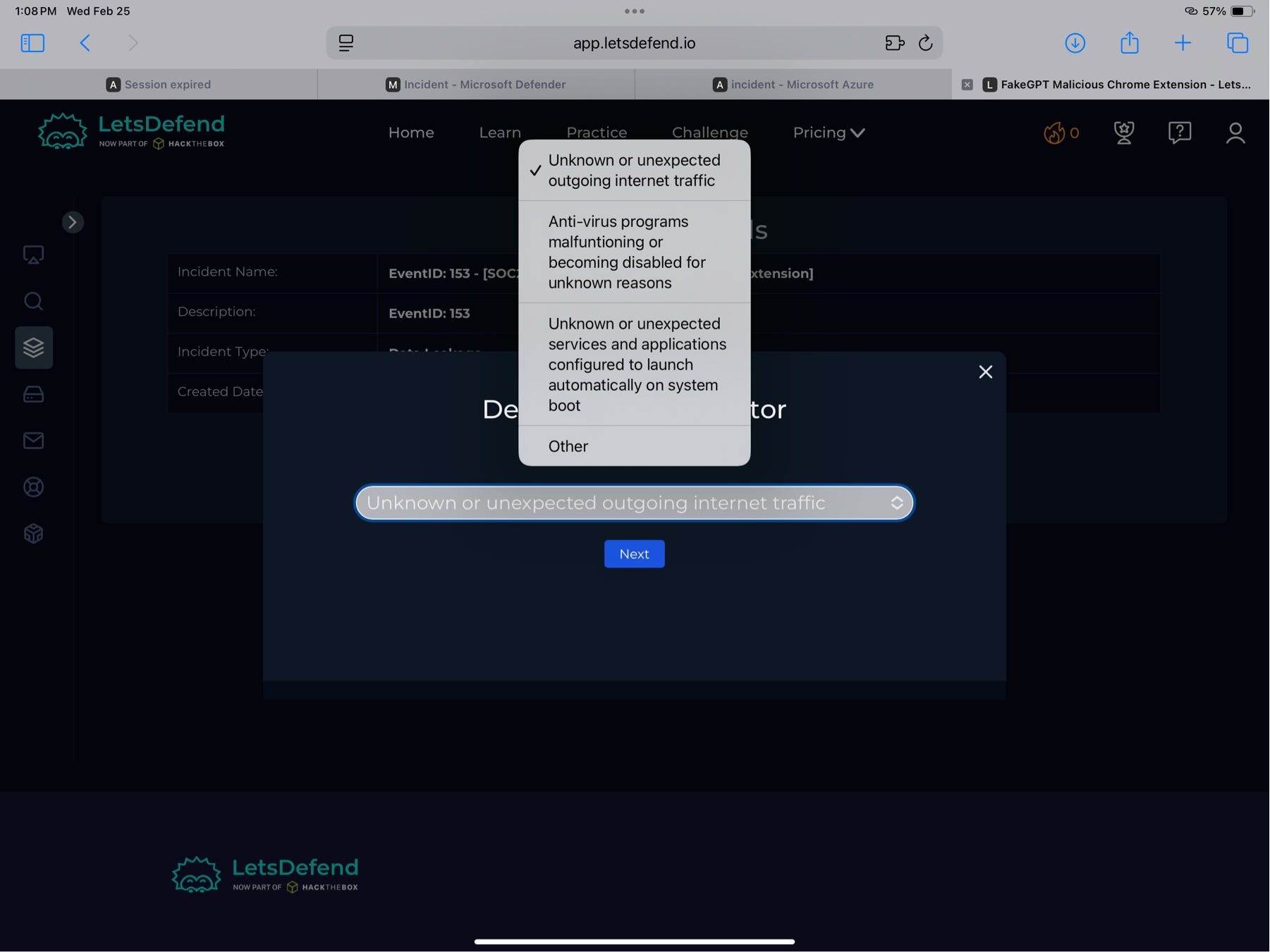
“Playbook: chose ‘Unknown or unexpected outgoing internet traffic’ based on outbound comms + extension behavior.”
Analyze Malware
The playbook prompts using third-party tools (VirusTotal, AnyRun, URLScan, etc.). Based on VT results, I marked it Malicious.

“Playbook: malware analysis step using third-party tools; disposition set to Malicious.”
Artifact Entry
Artifacts I submitted:
- Host IP: 172.16.17.173
- Suspected C2: 52.76.101.124, 18.140.6.45
- SHA-256: 7421f9abe5e618a0d517861f4709df53292a5f137053a227bfb4eb8e152a4669
Incident Report (SOC Write-Up)
On 29May23 @ 01:01 PM, a client with the hostname Samuel and IP address 172.16.17.173 successfully downloaded a Chrome extension file named hacfaophiklaeolhnmckojjjjbnappen.crx. The extension installation was confirmed via endpoint telemetry and browser history, which showed navigation to Chrome Web Store/extension pages associated with the extension ID.
The file was validated as malicious via VirusTotal using the hash:
7421f9abe5e618a0d517861f4709df53292a5f137053a227bfb4eb8e152a4669
Network telemetry showed attempted outbound communication to suspected C2 infrastructure:
- 52.76.101.124
- 18.140.6.45
The endpoint was quarantined/contained to prevent further communication and reduce the risk of persistence or data leakage.
Recommendation: Escalate to Tier 2 for deeper validation, including extension inspection, credential/session exposure review, and enterprise-wide hunting for the same extension ID/hash.
Case Closure (LetsDefend Result)
The alert was closed as a True Positive with the playbook steps completed.
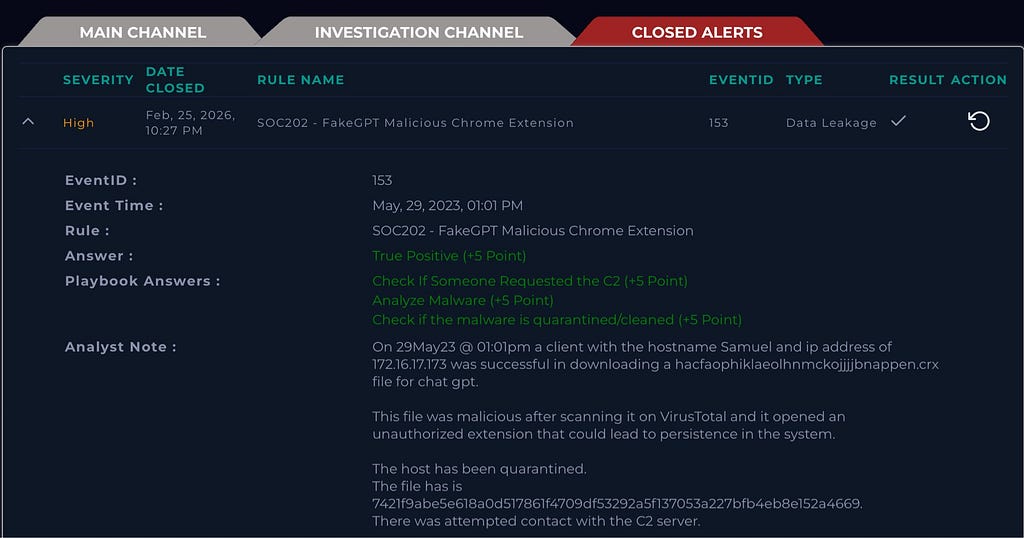
“Closed alert: True Positive; playbook steps completed; analyst notes captured.”
Key Artifacts (Quick IOC List)
Host
- Samuel — 172.16.17.173
Malicious Extension
- File: hacfaophiklaeolhnmckojjjjbnappen.crx
- Path: C:\Users\LetsDefend\Download...
- SHA-256: 7421f9abe5e618a0d517861f4709df53292a5f137053a227bfb4eb8e152a4669
Suspected C2
- 52.76.101.124
- 18.140.6.45
Lessons Learned (SOC Takeaways)
- Browser extensions can be a stealthy initial foothold (and can persist).
- Threat intel “no hits” doesn’t clear an IOC — correlation wins.
- Browser History is a goldmine for validating user-driven install chains.
- Containment comes after confidence — once evidence stacks up, isolate fast.
Source: Originally published on Medium